
| Affiliate Disclosure |
| As an Amazon Associate, I earn from qualifying purchases. |
| This article contains affiliate links. This means that if you click on a product link and make a purchase, I may earn a small commission at no extra cost to you. |
| All recommendations are based on independent research, expert insights, and a commitment to providing genuine value to readers. |
| I only recommend products that I believe are high-quality and relevant to your needs. |
Your Desk Is Either Helping You Focus — Or Quietly Destroying It
I used to think a productive work session was purely about willpower.
Then I spent a weekend reorganizing my desk, adding proper lighting, and sorting my cable chaos — and my focus in the following week was noticeably different.
Not because I suddenly became more disciplined. Because my environment stopped fighting me.
Your desk setup is not just about aesthetics.
Every item on your desk either contributes to your concentration or fragments it. A tangled cable pulls your eye. Poor lighting strains your eyes within an hour.
A cluttered surface forces your brain to process visual noise in the background all day long.
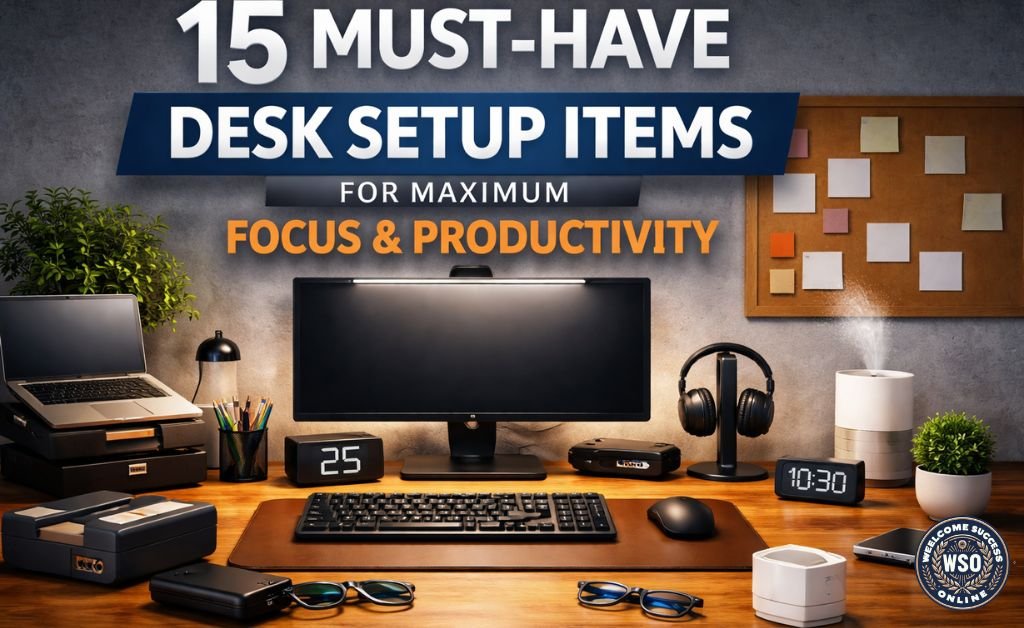
This guide covers 15 Must-Have Desk Setup Items for Maximum Focus and Productivity — all available on Amazon, across five categories: lighting, ergonomics, organization, tech, and wellbeing.
Whether you work from home in the UAE, run a side business, or simply want a setup that matches your ambition, these items are worth every dirham.
Why Your Desk Setup Directly Affects Your Output 🧠
Research on environmental psychology consistently shows that your physical workspace directly influences your cognitive performance.
A disorganized, poorly lit, ergonomically awkward workspace does not just feel uncomfortable — it actively reduces the quality and quantity of your work.
Here is what the right desk setup actually does for you:
- Reduces decision fatigue — an organized desk means fewer micro-decisions about where things are
- Protects your eyes — proper lighting reduces digital eye strain, headaches, and afternoon fatigue
- Improves posture — ergonomic accessories reduce back and neck pain that interrupts focus
- Signals your brain it is time to work — a dedicated, well-set-up desk creates a psychological trigger for focus
- Reduces the time you waste searching, adjusting, or being distracted by clutter
The 15 items below are organized into five categories. You do not need all 15 immediately — start with the category that addresses your biggest current pain point.
Quick Reference — All 15 Items at a Glance 🏆
A full overview of every item in this guide is below.
| # | Item | Category | Buy on Amazon |
| 🥇 | BenQ ScreenBar LED Monitor Light | Lighting | → View on Amazon |
| 🥈 | Ergonomic Gel Wrist Rest & Mouse Pad | Ergonomics | → View on Amazon |
| 🥉 | Adjustable Laptop / Monitor Stand | Ergonomics | → View on Amazon |
| 4 | Desk Organizer with Drawer | Organisation | → View on Amazon |
| 5 | USB-C Hub / Docking Station | Tech & Connectivity | → View on Amazon |
| 6 | Logitech MX Master 3S Wireless Mouse | Tech & Connectivity | → View on Amazon |
| 7 | Mechanical or Quiet Keyboard | Tech & Connectivity | → View on Amazon |
| 8 | Cable Management Box & Clips | Organisation | → View on Amazon |
| 9 | PU Leather Desk Pad / Mat | Comfort & Style | → View on Amazon |
| 10 | Noise-Canceling Headphones | Focus & Audio | → View on Amazon |
| 11 | Pomodoro / Desk Timer | Focus & Productivity | → View on Amazon |
| 12 | Blue Light Blocking Glasses | Health & Wellbeing | → View on Amazon |
| 13 | Standing Desk Converter | Ergonomics | → View on Amazon |
| 14 | Whiteboard or Corkboard | Planning & Creativity | → View on Amazon |
| 15 | Desk Humidifier / Air Purifier | Health & Wellbeing | → View on Amazon |
.
Note: Prices vary by brands, size, and specifications.
Always check the current Amazon listing for the most accurate price and availability in your region.
.
The 15 Best Desk Setup Items — Full Reviews
.
| 💡 CATEGORY 1: LIGHTING — The Most Overlooked Productivity Upgrade |
.
Most people underestimate how much lighting affects their focus and eye health.
If you spend more than three hours a day at a screen, lighting should be your very first upgrade.
.
| 🥇 Item #1: BenQ ScreenBar LED Monitor Light Bar The gold standard in desk lighting — used by professionals worldwide |
| Why your desk needs this: |
| ✔ Adjustable color temperature from 2,700K (warm) to 6,500K (cool daylight) |
| What to look for: |
| ✔ Auto-dimming based on ambient room light — hands-free adjustment |
| ✔ Adjustable color temperature from 2,700K (warm) to 6,500K (cool daylight) |
| ✔ Adjustable colour temperature from 2,700K (warm) to 6,500K (cool daylight) |
| ✔ USB-A powered — no separate power outlet required |
| ✔ Compatible with virtually all monitor sizes and shapes |
| ✔ Rated 4.7 out of 5 stars with nearly 5,000 ratings on Amazon |
| ✅ Best for: Anyone who works at a monitor for 3+ hours daily — this is your single most impactful desk upgrade. ⚠️ Skip if: Your desk is always brightly lit from overhead and you never experience eye fatigue. In that case, this is a nice-to-have rather than a must-have. |
| 🛒 View the BenQ ScreenBar on Amazon → |
.
| 🪑 CATEGORY 2: ERGONOMICS — Protect Your Body So It Can Protect Your Focus |
Discomfort is the silent killer of deep work.
You can have the best intentions in the world, but if your wrists ache, your neck is strained, or your eyes are level with the bottom third of your screen, your concentration will keep breaking every 20 minutes.
| ✅ Best for: Anyone who uses a mouse for more than 2 hours daily — writers, designers, analysts, and remote workers especially. ⚠️ Skip if: You use a trackpad exclusively and never touch a mouse. The wrist rest still helps for typing, but is less essential. |
| Why your desk needs this: |
| Repetitive strain injuries from mouse and keyboard use are one of the most common and preventable productivity killers for desk workers. A quality gel wrist rest distributes the pressure of extended typing and mouse use across the full wrist rather than concentrating it at the carpal tunnel. Combined with a smooth, non-slip mouse pad, this is one of the most affordable ergonomic upgrades you can make for your desk setup. Look for memory foam or gel filling with a non-slip base and a washable cover. The MROCO Ergonomic Mouse Pad with Wrist Rest is consistently one of the top-rated options on Amazon at a price that requires no compromise. |
| What to look for: |
| ✔ Gel or memory foam filling — look for at least 0.8 inches of cushioning |
| ✔ Non-slip rubber base — stays in place during fast mouse movements |
| ✔ Washable cover — hygiene matters for something your wrist touches daily |
| ✔ Smooth surface — ensures consistent mouse tracking across all DPI settings |
| ✔ Size that matches your mouse movement style — wider for low DPI users |
| ✅ Best for: Anyone who uses a mouse for more than 2 hours daily — writers, designers, analysts, and remote workers especially. ⚠️ Skip if: You use a trackpad exclusively and never touch a mouse. The wrist rest still helps for typing but is less essential. |
| 🛒 View ergonomic wrist rests on Amazon → |
.
| 🥉 Item #3: Adjustable Laptop or Monitor Stand Raise your screen to eye level — immediately reduce neck strain |
| Why your desk needs this: |
| ✔ Tilt adjustment — reduces glare and optimizes viewing angle |
| What to look for: |
| ✔ Adjustable height — your screen’s top third should be at eye level when seated |
| ✔ Tilt adjustment — reduces glare and optimises viewing angle |
| ✔ Non-slip base — stability matters more than appearance |
| ✔ Cable management — keeps your desk cleaner with fewer visible wires |
| ✔ Weight capacity that matches your monitor or laptop size |
| ✅ Best for: Laptop users and anyone whose monitor currently sits flat on the desk. This is a non-negotiable ergonomic essential. ⚠️ Skip if: Your monitor is already wall-mounted or on an arm at the correct height — in which case you are already ahead. |
| 🛒 View monitor and laptop stands on Amazon → |
.
| Item #13: Standing Desk Converter Sit less, stand more — without replacing your entire desk |
| Why your desk needs this: |
| Prolonged sitting is now widely recognized as a significant health risk — and for desk workers in the UAE who may spend 8–10 hours seated daily, a standing desk converter is one of the most impactful investments available. A converter sits atop your existing desk and lets you switch between sitting and standing positions in seconds. Studies show that alternating between sitting and standing every 30–60 minutes improves circulation, reduces back pain, and helps sustain energy levels throughout the afternoon. You do not need a full standing desk — a quality converter achieves the same result at a fraction of the cost and without replacing your furniture. |
| What to look for: |
| ✔ Smooth height adjustment mechanism — gas spring or pneumatic is best |
| ✔ Wide enough to hold both monitor and keyboard comfortably |
| ✔ Stable at full height — wobble undermines typing accuracy and focus |
| ✔ Cable-friendly design — avoids tangling as you raise and lower |
| ✔ Weight capacity that covers your full setup |
| ✅ Best for: Anyone who sits for more than 5 hours daily and experiences afternoon energy dips, lower back pain, or restlessness. ⚠️ Skip if: You already alternate between a sitting and standing setup — or you have a pre-existing condition where standing long periods is not recommended. Consult a healthcare professional first. |
| 🛒 View standing desk converters on Amazon → |
.
| 📦 CATEGORY 3: ORGANISATION — A Clear Desk Creates a Clear Mind |
Clutter is a proven cognitive load.
Every item your eyes land on that is out of place uses a tiny amount of mental energy to process and dismiss.
Multiply that across 8 hours and a full working day, and the impact on your concentration is significant.
.
| 🛒 View desk organizers on Amazon → |
| Why your desk needs this: |
| A quality desk organizer transforms a cluttered surface into a clean, functional workspace in under 10 minutes. The best organizers combine open compartments for frequently used items — pens, sticky notes, phone — with a drawer for items you need but do not want to see. This combination keeps your most-used tools within reach while reducing visual noise. Rotating caddies with 5+ compartments are particularly popular on Amazon because they offer 360-degree access to supplies without taking up extra desk space. Look for sturdy construction — metal mesh, bamboo, or solid plastic — and a footprint that suits your desk size. |
| What to look for: |
| ✔ Multiple compartment sizes — accommodates pens, phones, cables, notebooks, and cards |
| ✔ At least one drawer — for items you need but do not want in your eyeline |
| ✔ Stable base — should not tip when you reach into upper compartments |
| ✔ Easy to clean — removable dividers or smooth surfaces are preferable |
| ✔ Aesthetic that suits your setup — you will look at it every day |
| ✅ Best for: Anyone whose desk currently has loose items scattered across the surface. This is the fastest, cheapest visible improvement you can make. ⚠️ Skip if: Your desk is already completely clear and you work in a fully digital, paperless setup — though a small caddy for your phone and a pen is still worth having. |
| 🛒 View desk organizers on Amazon → |
.
| 8️⃣ Item #8: Cable Management Box and Clips The upgrade that makes every other item on this list look better |
| Why your desk needs this: |
| ✔ Color that blends with your desk surface for a seamless look |
| What to look for: |
| ✔ Box large enough to fit your power strip plus cables — measure before ordering |
| ✔ Multiple access points on all sides — accommodates different cable routing needs |
| ✔ Rubber grommets on access points — prevent cables from fraying at the edge |
| ✔ Adhesive cable clips included or purchased separately — route cables along desk edges |
| 8️⃣ Item #8: Cable Management Box and Clips. The upgrade that makes every other item on this list look better |
| ✅ Best for: Anyone with a power strip, multiple chargers, or visible cables running across the floor or desk surface. ⚠️ Skip if: You have a single laptop with one cable and nothing else. Minimal setups rarely have cable chaos worth managing. |
| 🛒 View cable management boxes on Amazon → |
.
| 9️⃣ Item #9: PU Leather Desk Pad The item that ties your entire desk setup together |
| Why your desk needs this: |
| A large desk pad serves multiple purposes: it protects your desk surface, provides a smooth, consistent base for your mouse and keyboard, reduces typing noise, and — perhaps most importantly — gives your entire desk a cohesive, professional aesthetic. PU leather desk pads are the most popular choice on Amazon because they are waterproof, easy to wipe clean, and available in sizes that cover most of the desk surface. The visual effect of a clean desk pad that unifies your monitor, keyboard, and accessories into one coherent setup is immediately noticeable — and the psychological effect of sitting at a setup that looks intentional and professional is genuinely motivating. |
| What to look for: |
| ✔ Large enough to cover your keyboard, mouse, and writing space — at least 60x30cm |
| ✔ Non-slip base — should not shift during typing sessions |
| ✔ Waterproof PU leather — resistant to coffee spills and daily use |
| ✔ Smooth surface — compatible with all mouse types and optical sensors |
| ✔ Available in black, grey, or brown to suit your desk aesthetic |
| ✅ Best for: Anyone who wants to instantly elevate the look and feel of their desk setup. This is the cheapest aesthetic transformation per square centimetre available. ⚠️ Skip if: You have a glass desk where a mat would cover the surface you specifically chose for its appearance. |
| 🛒 View PU leather desk pads on Amazon → |
.
| Item #14: Whiteboard or Corkboard for Your Wall Get your ideas off your screen and onto a surface you can see all day |
| Why your desk needs this: |
| Digital task management is powerful, but there is something about having your goals and priorities physically visible on your wall that digital tools cannot replicate. A whiteboard above or beside your desk lets you keep your top 3 weekly goals visible at all times, sketch ideas during calls without switching apps, and maintain a rolling list of priorities that you can see at a glance without opening another tab. For the personal development audience on this site — people who use planners and goal-setting frameworks — a visible wall board is a natural complement to your written planning system. |
| What to look for: |
| ✔ Magnetic surface — doubles as a corkboard for notes and references |
| ✔ Dry-erase surface — easy to wipe and update without marker residue |
| ✔ Size appropriate for your wall space — 60x45cm is ideal for most home offices |
| ✔ Mounting hardware included — wall-ready straight out of the box |
| ✔ Comes with markers and eraser — ready to use immediately |
| ✅ Best for: Goal-setters, planners, and creative thinkers who benefit from having their priorities physically visible rather than buried in an app. ⚠️ Skip if: You work in a rented space where wall mounting is not permitted — consider a desktop mini whiteboard as an alternative. |
| 🛒 View whiteboards on Amazon → |
.
| 💻 CATEGORY 4: TECH & CONNECTIVITY — The Tools That Remove Friction From Your Day |
The right tech accessories do not add complexity to your desk — they remove it.
The items in this category eliminate the small frustrations that interrupt your workflow dozens of times per day.
| 5️⃣ Item #5: USB-C Hub or Docking Station One cable connection — and everything works |
| Why your desk needs this: |
| Modern laptops ship with fewer ports than ever — and the daily ritual of plugging and unplugging monitors, chargers, USB drives, and SD cards is one of the most friction-heavy parts of a desk worker’s day. A quality USB-C hub or docking station connects to your laptop via a single cable and instantly expands it into a full desktop setup: HDMI for your monitor, USB-A for peripherals, an SD card slot, ethernet, and additional USB-C charging ports. For anyone who uses a MacBook, a recent Windows laptop, or an iPad Pro for work, a docking station turns your portable device into a proper workstation whenever you sit down. |
| What to look for: |
| ✔ USB-C PD passthrough charging — charges your laptop while the hub is in use |
| ✔ HDMI 4K output — supports external monitors at full resolution |
| ✔ At least 3 USB-A ports — for keyboard, mouse, and peripherals |
| ✔ SD and microSD card slots — essential for creators and photographers |
| ✔ Ethernet port — for a reliable wired connection when Wi-Fi is inconsistent |
| ✔ Compact form factor — sits cleanly beside your laptop without taking desk space |
| ✅ Best for: Laptop users who connect to an external monitor and multiple peripherals daily. Pays for itself in time and frustration saved within the first week. ⚠️ Skip if: You use a desktop computer with built-in ports and have no connectivity limitations. Desktops rarely need hubs. |
| 🛒 View USB-C hubs on Amazon → |
.
| ✔ 7 customizable buttons via Logi Options+ software |
| Why your desk needs this: |
| ✔ 7 customizable buttons via Logi Options+ software |
| What to look for: |
| ✔ MagSpeed electromagnetic scrolling — 1,000 lines per second for fast document navigation |
| ✔ Whisper-quiet clicks — 90% quieter than standard mice for shared workspaces |
| ✔ 7 customisable buttons via Logi Options+ software |
| ✔ Multi-device flow — control up to 3 computers with one mouse seamlessly |
| ✔ 8,000 DPI precision sensor — works on any surface, including glass |
| ✔ 70-day battery life on a full charge via USB-C |
| ✅ Best for: Power users, writers, analysts, and anyone who spends significant time in spreadsheets, documents, or multi-window workflows. ⚠️ Skip if: You primarily use a trackpad and are comfortable with it. The MX Master is an upgrade for mouse users specifically, not a replacement for people who prefer trackpad navigation. |
| 🛒 View the Logitech MX Master 3S on Amazon → |
.
| 7️⃣ Item #7: Mechanical or Low-Profile Quiet Keyboard The keyboard you type on all day deserves to be worth typing on |
| Why your desk needs this: |
| ✔ Build quality — aluminum frame versus plastic frame makes a significant difference in feel |
| What to look for: |
| ✔ Switch type matched to your use case — tactile for typing, linear for gaming, silent for shared spaces |
| ✔ Tenkeyless or full size, depending on desk space — tenkeyless is preferred for cleaner setups |
| ✔ Wireless connectivity — reduces cable clutter significantly |
| ✔ Hot-swappable switches — allow you to change switch feel without soldering |
| ✔ Build quality — aluminium frame versus plastic frame makes a significant difference in feel |
| ✅ Best for: Writers, coders, analysts, and anyone who types extensively throughout their working day. The return on investment in comfort and speed is immediate. ⚠️ Skip if: You type infrequently or use voice input primarily. The investment is harder to justify for light keyboard users. |
| 🛒 View mechanical keyboards on Amazon → |
.
| 🧘 CATEGORY 5: HEALTH & WELLBEING — Protect the Asset That Runs Everything |
Every other item on this list helps you work better.
The items in this final category help you keep working — sustainably, without burning out your eyes, your back, or your energy across a long career.
.
| Deep focus requires sustained, uninterrupted concentration — and noise cancellation is the fastest way to create that condition regardless of your environment. Whether you are working from a home office in Abu Dhabi with household noise around you, a café, or an open-plan office, quality noise-canceling headphones create an audio environment where your concentration is under your control. At the premium end, the Sony WH-1000XM5 and Bose QuietComfort Ultra remain the benchmark for active noise cancellation. At the budget end, the Anker Soundcore Space Q45 delivers exceptional noise cancellation at a fraction of the premium price — and is one of the best-value headphones on Amazon. |
| Why your desk needs this: |
| 🛒 View noise-canceling headphones on Amazon → |
| What to look for: |
| ✔ Active Noise Cancellation (ANC) — passive noise isolation alone is not sufficient for open environments |
| ✔ Battery life of at least 20 hours — should last a full working day without recharging |
| ✔ Comfortable over-ear design — on-ear headphones become uncomfortable within 2 hours |
| ✔ Foldable design — reduces storage footprint on a compact desk |
| ✔ Multipoint Bluetooth — connects to phone and laptop simultaneously |
| ✅ Best for: Remote workers, anyone in a shared or noisy environment, and people who use music or binaural beats as a focus tool. ⚠️ Skip if: You work alone in a completely quiet environment and find headphones physically uncomfortable for extended periods. |
| 🛒 View noise-canceling headphones on Amazon → |
.
| Item #11: Pomodoro Timer or Desk Timer The most underrated focus tool that costs less than a cup of coffee |
| Why your desk needs this: |
| The Pomodoro Technique — working in focused 25-minute intervals separated by 5-minute breaks — is one of the most consistently effective productivity methods ever documented. Having a physical timer on your desk rather than a phone timer creates a fundamentally different psychological dynamic: it removes the temptation to check your phone when the timer is set, creates a visible, tangible countdown that builds momentum, and signals to anyone nearby that you are in a focused work period. Cube timers — where you flip to the desired time — are particularly popular on Amazon because they are visually clean and require no buttons or settings. |
| What to look for: |
| ✔ Simple, intuitive operation — should not require reading instructions |
| ✔ Silent countdown option — for environments where ticking would be distracting |
| ✔ Multiple time presets — 5, 10, 15, 25, and 30 minutes for flexible session lengths |
| ✔ Physical rather than digital — the whole point is to keep your phone face down |
| ✔ Small footprint — should take minimal desk space |
| ✅ Best for: Anyone who struggles with procrastination, task-switching, or maintaining concentration across a full working day. Transformatively simple. ⚠️ Skip if: You are already disciplined about deep work sessions and use a reliable digital system. A physical timer adds value primarily as a phone-avoidance tool. |
| 🛒 View desk timers on Amazon → |
.
| Item #12: Blue Light Blocking Glasses Protect your eyes from the one thing you stare at for 8 hours every day |
| Why your desk needs this: |
| Screens emit blue light at wavelengths that suppress melatonin production and contribute to digital eye strain — symptoms that include dry eyes, headaches, blurred vision, and difficulty sleeping after an evening of screen use. Blue light-blocking glasses filter out this wavelength before it reaches your eyes, reducing eye strain during long sessions and improving sleep quality for people who work in the evenings. They are particularly relevant for UAE professionals who often work late and then struggle to switch off. They work best when used consistently throughout your screen time — not just at night. |
| What to look for: |
| ✔ Lens material that filters blue light at 400–450nm wavelength range |
| ✔ Anti-reflective coating — reduces glare from screens and overhead lighting |
| ✔ Lightweight frame — should be comfortable to wear for 8+ hours |
| ✔ Available with or without magnification — clear lens versions for those with perfect vision |
| ✔ UV400 protection — bonus coverage for outdoor use |
| ✅ Best for: Anyone who experiences eye strain, headaches after screen use, or difficulty sleeping after working evenings. Results are typically noticed within the first week. ⚠️ Skip if: You use an anti-glare screen protector and work in perfectly calibrated lighting. The benefit is reduced but not zero. |
| 🛒 View blue light blocking glasses on Amazon → |
.
| Item #15: Desk Humidifier or Air Purifier The invisible upgrade — the quality of the air you breathe at your desk matters |
| Why your desk needs this: |
| Air-conditioned offices and homes — which describe virtually every workspace in the UAE — create a dry-air environment that contributes to fatigue, eye dryness, and respiratory discomfort during long desk sessions. A small desk humidifier adds moisture to your immediate workspace, reducing dry-eye discomfort that compounds with screen use and helping you stay alert through long afternoons. A mini air purifier goes further by filtering dust, allergens, and airborne particles — relevant for any workspace in the UAE where dust levels can be high. Both devices run quietly and require minimal desk space — the impact on daily comfort is immediate and consistent. |
| What to look for: |
| ✔ Silent or near-silent operation — should not introduce noise that breaks your concentration |
| ✔ Compact footprint — USB-powered models take up minimal desk space |
| ✔ Easy refill design — should take less than 30 seconds to refill |
| ✔ Auto shut-off when water runs out — prevents dry-burn damage |
| ✔ For purifiers: HEPA filter — the standard for capturing airborne particles effectively |
| ✅ Best for: UAE residents working in air-conditioned environments who experience afternoon fatigue, dry eyes, or allergy symptoms at their desk. ⚠️ Skip if: You work in a naturally ventilated, well-humidified environment or have a medical condition affected by humidity — consult your doctor first. |
| 🛒 View desk humidifiers on Amazon → |
Where to Start — Your Desk Upgrade Priority Order 📋
You do not need to buy all 15 items at once. Here is the order I recommend based on impact per dirham spent:
.
| Priority | Item | Why This Order |
| First | PU Leather Desk Pad | Instant visible transformation — ties your whole setup together |
| Second | BenQ ScreenBar Light Bar | Biggest impact on eye comfort and evening focus |
| Third | Cable Management Box | Removes visual clutter that fragments attention all day |
| Fourth | Desk Organiser with Drawer | Clears your surface and eliminates the ‘where is it’ micro-interruption |
| Fifth | Ergonomic Wrist Rest | Prevents pain before it starts — cheap insurance for your wrists |
| Sixth | Desk Organizer with Drawer | Fixes posture, prevents neck pain, lasts for years |
| Seventh+ | Remaining items | Choose based on your biggest remaining pain point |
Final Thoughts 💡
Your desk is where your goals either happen or get deferred.
Treating it as an afterthought — a place where things accumulate rather than a space you intentionally design for focus — is one of the most common and most correctable productivity mistakes.
You do not need to spend a fortune. The six highest-priority items on this list are surprisingly affordable compared to the productivity gains they offer and will transform both the look and the function of your workspace.
Start with the desk pad and the light bar — the visible improvement alone is motivating enough to keep going.
Ready to upgrade? Use the Amazon links in the comparison table at the top of this guide to view the latest availability and product details.
All products are available with international shipping to the UAE.
Frequently Asked Questions 🖥️
What is the single most impactful desk upgrade for focus?
Based on consistent feedback from productivity professionals and remote workers, the BenQ ScreenBar monitor light bar delivers the most noticeable improvement in focus and eye comfort for the cost.
Proper desk lighting reduces digital eye strain, eliminates afternoon headaches, and makes long working sessions significantly more sustainable.
If you only buy one item from this list, the ScreenBar is the one.
Do these desk accessories work for small desks?
Yes — most items on this list are specifically designed for compact setups.
The desk pad comes in various sizes, the cable management box can be placed on the floor or mounted under the desk, the ScreenBar attaches to your monitor without using desk space, and the desk organizer replaces scattered items rather than adding to the surface area used.
A small, well-organized desk performs better than a large, cluttered one.
Are these products available on Amazon UAE?
Most of the products in this guide are available on Amazon with international shipping to the UAE.
Some items — particularly the BenQ ScreenBar, Logitech MX Master, and larger ergonomic items — are also available directly from UAE electronics retailers.
Always check the Amazon listing for current shipping options and import costs to your specific location in the UAE.
Is a standing desk converter worth the investment?
For anyone who sits for more than 5 hours daily and experiences lower back pain or afternoon energy drops, yes — a standing desk converter is genuinely worth the investment.
The health benefits of breaking up prolonged sitting are well-documented.
Entry-level converters are widely available on Amazon and offer a much more affordable alternative to full sit-stand desks.
What is the best budget-friendly desk upgrade?
The PU leather desk pad is the best-value desk upgrade available on Amazon.
It immediately transforms the look of your entire setup, protects your desk surface, provides a smooth, consistent mouse surface, and reduces typing noise — all for a single low-cost purchase.
It is the first item most professional desk setup reviewers recommend for budget-conscious upgraders.
NOTE: Product availability, ratings, and specifications may change over time. Always review the latest information on the Amazon product page before purchasing.
Last updated: January 2026
| 💡 You Might Also Like — More From This Site |
| → Best Planners for Goal Setting in 2026 |
| → Best Personal Development Books That Will Change How You Think |
| → Time Management Techniques for Success |
2 thoughts on “15 Must-Have Desk Setup Items for Maximum Focus and Productivity (Amazon Picks 2026)”
Comments are closed.